
$47.00 Original price was: $47.00.$17.00Current price is: $17.00.
How many times today did you pause just to type?
How many replies felt slower than they should?
How many ideas stayed unfinished because writing them felt like work?
That friction doesn’t feel dramatic, but it adds up quietly… EchoType removes it.
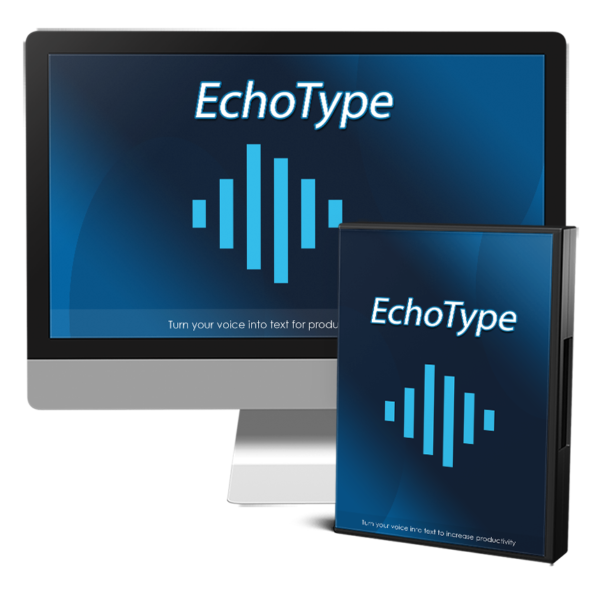
EchoType is a lightweight Chrome extension that lets you speak instead of type in almost any text field on almost any website.
You can use it to:
Speak AI prompts instead of typing them
Dictate emails naturally
Write documents in Google Docs or Microsoft Word
Reply to DMs and messages
Create social media posts and comments
Write notes, drafts, and ideas instantly
If there’s a blinking cursor, EchoType works there.
Once you start speaking, typing starts to feel unnecessary.
Works on Chrome, Edge, Brave, Opera, and Vivaldi
Lightweight – won’t slow your browser
No training required
Install, allow mic access, and start talking
Speaking is about 5× faster than typing.
That’s roughly: 3 hours saved per week, 156 hours per year
Available Options
Most creators and online business owners don’t feel like they’re wasting time.
They just feel busy.
But think about your day:
AI chats
Emails
Documents
DMs
Social replies
Notes
Content drafts
Messages
Admin tasks
Almost all of it starts with a cursor and a keyboard.
Typing feels normal so the friction stays invisible.
What would change if you could respond, write, and create at the speed you speak?
No formatting.
No switching tools.
No learning curve.
No new systems.
Just talk.
EchoType is a speech-to-text Chrome extension designed for creators, solopreneurs, and online business owners who spend their day communicating.
It lets you speak directly into:
AI chats
Emails
Google Docs
Microsoft Word
Social platforms
Messaging apps
Any text field on almost any website
No copy-paste.
No exporting.
No extra steps.
You talk. The text appears.
Typing forces you to slow down.
It breaks your thinking.
It creates resistance.
Speaking does the opposite.
When you speak:
Your ideas stay intact
Your tone sounds like you
Your sentences feel natural
You finish faster
That changes momentum.
Yes — speaking is about 5× faster than typing.
But the real shift is psychological:
You stop delaying:
Replies
Drafts
Responses
Content
Notes
Ideas
Because talking feels easier than typing.
Less resistance = more output.
Creators and marketers use EchoType to:
Speak AI prompts instead of typing them
Dictate emails
Write articles
Create sales pages
Respond to DMs
Answer comments
Create notes
Draft content
Write outlines
Brain-dump ideas
Anywhere there’s a cursor EchoType works.
EchoType isn’t another heavy productivity tool.
There are:
No dashboards
No workflows
No training
No setup
It’s lightweight.
It runs quietly.
It only activates when you speak.
You don’t adapt to EchoType.
It adapts to how you already work.
Most users experience the same moment:
They catch themselves thinking:
“Why am I typing this?”
That’s when EchoType becomes automatic.
“I type fast already.”
Speed isn’t the problem – friction is. Speaking removes it.
“I don’t want to learn another tool.”
You won’t. Install → allow mic → talk.
“Will it slow my browser?”
No. EchoType is lightweight and stays out of the way.
“I don’t like mic permissions.”
Mic access is required to hear your voice – and nothing else changes. You can disable or uninstall anytime.
“Will it sound like me?”
Yes – more than typing does. Speaking preserves tone.
“Is there any additional cost?”
Yes – you will need to use your OpenAI (ChatGPT) API key, this is easy to set up. The true cost depends on your usage and may only cost a few bucks a month.
Install EchoType.
Use it in real work.
Feel the difference.
If it doesn’t change how you work, you’re covered by a 30 day money-back guarantee.
No pressure.
No lock-in.
Stop adapting to keyboards.
Start working at the speed of thought.
Reviews
There are no reviews yet.